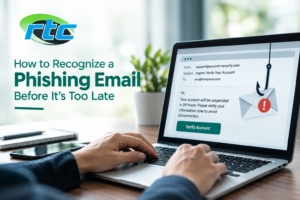
Phishing emails are designed to look legitimate while tricking you into revealing sensitive information, clicking a harmful link, opening a malicious attachment, or sending money. They can appear to come from a bank, customer, coworker, delivery company, software provider, or even someone inside your organization.
The good news is that many phishing emails contain warning signs you can learn to recognize. Taking a few seconds to examine an unexpected message before responding can help protect your email account, personal information, business data, and connected devices.
What Is a Phishing Email?
A phishing email is a fraudulent message intended to convince the recipient to take an unsafe action. The attacker may attempt to steal passwords, credit card information, account credentials, or other sensitive data.
Some phishing emails simply ask you to click a link and sign in. Others may contain malicious attachments or create a sense of urgency by claiming that your account will be closed, a payment failed, or immediate action is required.
Phishing attempts can target individuals as well as businesses, making email security an important part of overall cybersecurity.
1. Check the Sender’s Email Address
One of the first things to examine is the sender’s actual email address.
A message may display a familiar company or person’s name while coming from a completely unrelated address. Attackers may also use addresses that look similar to legitimate ones by changing a character, adding extra words, or using a different domain.
For example, an email that appears to come from a company you regularly work with may use a domain that is slightly different from the company’s official domain.
Tip: Don’t rely only on the sender’s displayed name. Check the complete email address before clicking links or sharing information.
2. Be Careful With Urgent or Threatening Messages
Phishing emails often try to make you act before you have time to think.
Watch for messages that say:
- Your account will be closed today
- Your payment has failed
- Your password expires immediately
- You must verify your account
- Your package cannot be delivered
- Your account has suspicious activity
- You need to respond within a few minutes
Urgency doesn’t automatically mean an email is fraudulent, but unexpected pressure is a good reason to slow down and verify the message independently.
3. Inspect Links Before Clicking
Never assume a link is safe simply because the email looks professional.
On a computer, hover your mouse over a link without clicking it. The destination address should appear, allowing you to examine where it actually leads.
Be cautious if:
- The domain doesn’t match the organization
- The URL contains unusual characters or spelling
- The link uses a shortened address you weren’t expecting
- The message asks you to log in through an unfamiliar website
- The link doesn’t match the action described in the email
If you need to access an account, consider opening the company’s official website directly instead of using the email link.
4. Look for Unexpected Attachments
Unexpected attachments deserve extra attention, particularly when the email asks you to open an invoice, document, receipt, shipping notice, or account statement.
Malicious attachments can potentially install malware or compromise a device when opened.
If you weren’t expecting a file, verify it with the sender through another trusted communication method before opening it.
5. Watch for Requests for Sensitive Information
Be especially cautious when an unexpected email asks for:
- Passwords
- Banking information
- Credit card details
- Social Security numbers
- Verification codes
- Employee information
- Business account credentials
Legitimate organizations generally have established processes for handling sensitive information. If you’re unsure, contact the organization using a phone number or website you already know is legitimate rather than information contained in the suspicious email.
6. Don’t Trust an Email Just Because It Looks Professional
Modern phishing emails can be surprisingly convincing. They may contain company logos, professional formatting, realistic signatures, and familiar terminology.
A polished appearance does not prove that an email is legitimate.
Instead, evaluate the message as a whole:
Was I expecting this email?
Does the sender address look correct?
Is the request unusual?
Does the link lead where I expect?
Is the message creating unnecessary urgency?
Several small warning signs together can indicate that further verification is necessary.
7. Be Careful With Business Payment Requests
Businesses should pay particular attention to emails involving invoices, wire transfers, payment details, or changes to vendor banking information.
An attacker may impersonate an executive, supplier, employee, or customer and request an urgent payment or account change.
Before processing an unusual financial request, verify it through a separate communication channel. For example, call the person using a known phone number rather than replying to the suspicious email.
8. Check for Unusual Grammar and Formatting
Spelling and grammar mistakes can sometimes indicate a phishing attempt, although they shouldn’t be your only test. Some fraudulent emails are carefully written and may contain few obvious errors.
Instead, look for inconsistencies such as:
- Unusual wording from a normally familiar sender
- Strange greetings
- Unexpected formatting
- Inconsistent company names
- Incorrect contact information
- Messages that don’t match your normal business communication
The context of the message is often more important than one grammatical mistake.
9. Verify Unexpected Requests Separately
If an email asks you to take an important action, verify the request outside the email.
For example, if someone appears to be asking you to:
- Reset a password
- Purchase gift cards
- Transfer money
- Change payment information
- Send confidential documents
- Share an authentication code
Contact the person or organization directly using a trusted phone number, website, or existing communication channel.
This extra step can prevent a simple email mistake from becoming a serious security incident.
What Should You Do If You Receive a Suspicious Email?
If an email appears suspicious, don’t click links, open attachments, reply with sensitive information, or forward it unnecessarily.
Instead:
- Stop and review the message carefully.
- Check the sender’s complete email address.
- Inspect links without opening them.
- Avoid unexpected attachments.
- Verify important requests independently.
- Report or delete the message according to your organization’s email security procedures.
- If you believe you interacted with a malicious email, seek professional assistance promptly.
Businesses can also benefit from dedicated email protection and security measures designed to filter suspicious messages and reduce exposure to phishing attempts. Reliable Telecom’s virus protection services include email protection, malicious-link and attachment protection, and security measures designed to help prevent email-based threats.
What If You Already Clicked a Phishing Link?
Don’t panic, but act quickly.
If you entered a password, change it immediately from a trusted device or legitimate website. If the same password was used elsewhere, update those accounts as well.
If you downloaded a suspicious file, avoid opening it again and consider having the device checked for malware. If sensitive business information was exposed, notify the appropriate person within your organization so additional security steps can be taken.
If you lose access to an account or believe your email has been compromised, professional email recovery services can help with issues such as hacked accounts, password recovery, and email data restoration.
How Businesses Can Reduce Phishing Risks
Employee awareness is only one part of email security. Businesses can use multiple layers of protection, including:
- Spam and phishing filters
- Updated antivirus and anti-malware software
- Firewall protection
- Multi-factor authentication
- Regular software updates
- Secure password practices
- Employee cybersecurity training
- Email backup and recovery procedures
- Regular security reviews
A layered approach can reduce the chance that one deceptive email will lead to a larger security problem.
Final Thoughts
Recognizing a phishing email often comes down to slowing down and checking the details before taking action. An unexpected sender, suspicious link, unusual attachment, urgent request, or demand for sensitive information should all encourage you to verify the message before proceeding.
Phishing techniques continue to evolve, so businesses and individuals should combine careful email habits with appropriate security tools and professional support. If you’re concerned about malware, suspicious emails, or the security of your devices, Reliable Telecom can help you strengthen your IT protection and respond to email-related security problems.
Don’t wait until a suspicious email becomes a security incident. Take steps today to protect your accounts, devices, and business data.