Email accounts store some of the most sensitive information about your personal and professional life. From banking notifications and business communications to password resets and private documents, email is often the gateway to many other online accounts.
When hackers gain access to your email and change the password, it can feel overwhelming because you are suddenly locked out of your own digital identity. Attackers may attempt to steal data, reset passwords for other accounts, send phishing messages to your contacts, or even conduct financial fraud.
Understanding what to do immediately after discovering your email has been hacked can significantly reduce the damage and increase the chances of recovering your account quickly.
How to Know If Your Email Account Has Been Hacked
Sometimes users realize their email account is compromised only after they are locked out. However, there are often warning signs that appear before or during the attack.
Common signs include:
1. You Can’t Log In With the Correct Password
If your password suddenly stops working and you know it’s correct, a hacker may have changed it to lock you out.
2. Security Settings Have Changed
Hackers often update recovery emails, phone numbers, or security questions to prevent you from regaining access.
3. Suspicious Emails Sent From Your Account
Friends or colleagues may inform you that they received strange messages or phishing links from your email address.
4. Password Reset Notifications
You might receive alerts about password reset attempts for other online accounts linked to your email.
5. Unknown Login Locations
Some email providers notify you when someone logs in from a new device or location.
If you notice any of these signs, it is important to take action immediately.
Step 1: Try the Official Account Recovery Process
Most email providers offer an account recovery option for situations where the password has been changed.
Look for options such as:
- “Forgot Password”
- “Recover Account”
- “Trouble Signing In”
During this process, the system may ask for verification through:
- A recovery email
- A recovery phone number
- Security questions
- Identity verification
If the hacker has not changed these recovery options, you may regain access within minutes.
However, if the attacker has already modified recovery details, the process may require additional identity verification steps.
Step 2: Check Whether Recovery Information Was Changed
If the hacker replaced your recovery phone number or backup email address, you may still have a small window of time to reverse these changes.
Some email providers send notifications when recovery information is updated. These alerts sometimes contain a link that allows you to undo unauthorized changes.
Search your inbox for messages like:
- “Security settings changed”
- “Recovery email updated”
- “New login detected”
Following these alerts quickly may help you reclaim your account before the hacker secures it completely.
Step 3: Secure Your Other Accounts Immediately
Your email account is often linked to many other services such as:
- Banking apps
- Social media platforms
- Cloud storage
- Online shopping accounts
- Business software
Hackers commonly use compromised email accounts to reset passwords for these services.
To prevent further damage:
- Change passwords for important accounts immediately
- Enable two-factor authentication wherever possible
- Check recent activity on financial accounts
This step is critical because the longer attackers control your email account, the more accounts they may try to access.
Step 4: Scan Your Device for Malware
Sometimes hackers gain access to email accounts through malware or spyware installed on a computer or mobile device.
Malicious software can record keystrokes, steal login credentials, or monitor browsing activity.
To eliminate this risk:
- Run a full antivirus scan on your computer
- Update your operating system and software
- Remove unknown browser extensions
- Avoid logging into sensitive accounts until your device is secure
Cleaning your device helps prevent hackers from accessing the account again after you recover it.
Step 5: Contact Your Email Provider’s Support Team
If automated recovery options do not work, the next step is contacting the email provider’s support team.
Customer support may request additional details to verify ownership, such as:
- Previous passwords
- Account creation date
- Frequently contacted email addresses
- Login locations or devices used
The verification process may take time, but providing accurate information improves the chances of successful recovery.
Step 6: Warn Your Contacts About the Hack
If a hacker gained access to your email account, they may use it to send phishing messages or scams to people in your contact list.
These emails might ask for money, share malicious links, or attempt to steal sensitive information.
Once you regain access to your account, notify your contacts that your email was compromised. Ask them to ignore suspicious messages that may have been sent during the breach.
This step helps prevent others from becoming victims of the same attack.
Step 7: Review Account Activity and Security Settings
After recovering your email account, carefully review all security settings.
Check for:
- Unauthorized email forwarding rules
- Suspicious filters that automatically delete messages
- Unknown connected apps or devices
- Recovery email changes
- Password reset attempts
Hackers sometimes create hidden forwarding rules so they can continue receiving copies of your emails even after you change the password.
Removing these settings ensures your account is fully secure.
Step 8: Create a Strong and Unique Password
Weak passwords are one of the most common reasons email accounts get hacked.
A strong password should:
- Contain at least 12–16 characters
- Include uppercase and lowercase letters
- Include numbers and symbols
- Avoid common words or personal information
Using a password manager can help generate and store complex passwords securely.
Never reuse the same password across multiple accounts, as this makes it easier for attackers to compromise several accounts at once.
Step 9: Enable Two-Factor Authentication
Two-factor authentication (2FA) adds an extra layer of security to your email account.
With 2FA enabled, logging in requires two forms of verification:
- Your password
- A one-time code sent to your phone or authentication app
Even if hackers obtain your password, they will not be able to access the account without the second verification step.
Enabling this feature significantly reduces the risk of future attacks.
How Hackers Gain Access to Email Accounts
Understanding how attackers compromise email accounts can help you avoid future incidents.
Phishing Attacks
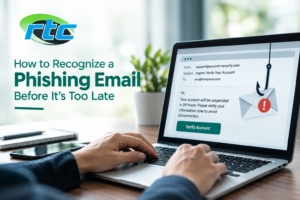
Hackers send fake emails pretending to be legitimate companies and trick users into entering login credentials on fake websites.
Weak Passwords
Simple passwords are easy to guess or crack using automated tools.
Data Breaches
When a website experiences a breach, leaked passwords may be used to access other accounts.
Malware and Spyware
Malicious programs can capture login credentials directly from infected devices.
Public Wi-Fi Attacks
Unsecured networks can expose login information if proper encryption is not used.
Being aware of these risks can help you protect your accounts more effectively.
How to Prevent Email Hacks in the Future
Preventive security measures can reduce the likelihood of another email breach.
Best practices include:
- Using strong and unique passwords
- Enabling two-factor authentication
- Avoiding suspicious links or attachments
- Regularly updating devices and software
- Monitoring login activity alerts
- Using reliable antivirus protection
These habits significantly strengthen your email security and protect sensitive information.
When to Seek Professional Email Recovery Help
Sometimes hackers completely lock users out by changing passwords, recovery emails, and security settings. In such cases, recovering access can become difficult without technical assistance.
Professional email recovery specialists can help analyze the breach, verify ownership, and guide users through advanced recovery procedures.
If your email contains critical personal data, business communications, or financial information, professional support may be the fastest way to regain control of your account.
Need Help Recovering a Hacked Email Account?
If your email account has been hacked and you can’t regain access, professional assistance can make the recovery process faster and safer.
Reliable Telecom provides expert Email Recovery Services to help individuals and businesses regain access to compromised email accounts. Their experienced technicians analyze the security breach, guide you through recovery steps, and help secure your account to prevent future attacks.
If you need assistance restoring access to your email or protecting your digital accounts, visit Reliable Telecom to learn more about their professional Email Recovery Services.